
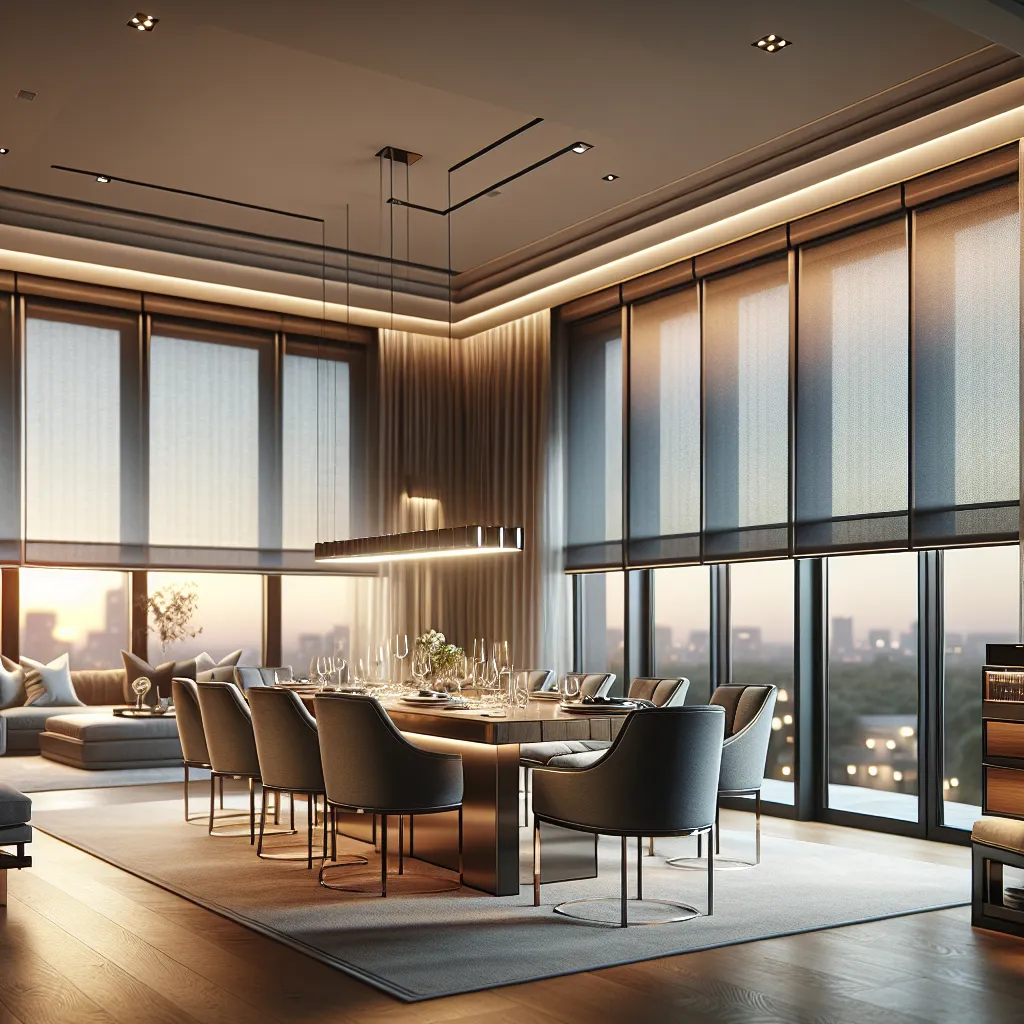
Smart Blinds and Home Automation: Complete Setup Guide for Alexa, Google & HomeKit
Smart Blinds and Home Automation: Complete Setup Guide for Alexa, Google & HomeKit
Smart blinds have crossed the threshold from expensive novelty to practical home upgrade. Prices have dropped significantly over the past two years, the Matter smart home standard has simplified compatibility, and every major voice assistant now supports window covering control natively. Whether you want to automate a single bedroom window or outfit an entire house, this guide covers everything you need to know about choosing, installing, and automating smart blinds in 2026.
By the end of this guide, you will understand the different motor types, communication protocols, hub requirements, and automation possibilities so you can make a confident purchasing decision and get your smart blinds running smoothly from day one.
Why Smart Blinds Matter
Before diving into the technical details, it is worth understanding what smart blinds actually deliver beyond the novelty of voice commands.
Energy Savings
Automated blinds can be programmed to respond to sun position, outdoor temperature, or time of day. A south-facing living room window that automatically lowers its shade during peak afternoon sun in summer can meaningfully reduce cooling costs. The Department of Energy estimates that window coverings managed for optimal solar heat control can reduce energy use by 10 to 15 percent in applicable climates.
Convenience and Accessibility
Hard-to-reach windows, skylights, and tall two-story windows become effortlessly manageable with motorized controls. For elderly homeowners or those with mobility limitations, eliminating the need to physically reach and operate window coverings is a significant quality-of-life improvement.
Home Security
Smart blinds that operate on schedules or respond to your location create the appearance of an occupied home even when you are away. Paired with smart lighting, automated window coverings are an effective deterrent against opportunistic break-ins.
Child and Pet Safety
Motorized blinds eliminate dangling cords entirely, removing a serious strangulation hazard for young children and a chewing risk for pets.
Understanding Smart Home Protocols
The communication protocol your smart blinds use determines which hubs and voice assistants they work with, how reliably they connect, and how much setup is required. Here is a clear breakdown of the major options.
WiFi
WiFi-connected smart blinds communicate directly with your home router without requiring a separate hub or bridge. This makes them the simplest to set up: install the blinds, download the manufacturer's app, connect to your WiFi network, and you are ready to go.
Pros:
- No hub required
- Simple setup process
- Direct control from smartphone anywhere with internet access
Cons:
- Each blind adds a device to your WiFi network, which can strain routers in larger installations
- Higher power consumption, meaning battery-powered WiFi motors need recharging more frequently
- Range limited to WiFi signal strength
Best for: Small installations of one to five windows, renters who want a simple solution, homeowners without an existing smart home hub.
Zigbee
Zigbee is a low-power mesh networking protocol widely used in smart home devices. Zigbee blinds require a compatible hub (such as an Amazon Echo with built-in Zigbee, a Samsung SmartThings hub, or a Philips Hue bridge) but offer significant advantages for larger installations.
Pros:
- Very low power consumption, extending battery life significantly
- Mesh networking means each device strengthens the network for nearby devices
- Does not congest your WiFi network
- Fast, reliable local communication
Cons:
- Requires a compatible hub
- Initial setup slightly more involved than WiFi
- Signal can be affected by interference from other 2.4GHz devices
Best for: Medium to large installations, homes with an existing Zigbee hub, battery-powered motor setups where long battery life is important.
Z-Wave
Z-Wave is another mesh protocol, operating on a different frequency band (908.42 MHz in North America) that avoids the crowded 2.4GHz spectrum used by WiFi and Zigbee. Z-Wave blinds require a Z-Wave hub, with SmartThings and Hubitat being popular options.
Pros:
- Operates on a less congested frequency for very reliable communication
- Strong mesh networking with excellent range
- Low power consumption
- Established protocol with broad device compatibility
Cons:
- Requires a Z-Wave compatible hub
- Slightly higher product costs compared to Zigbee equivalents
- Smaller selection of Z-Wave blind motors compared to Zigbee and WiFi
Best for: Homes already invested in Z-Wave ecosystems, installations requiring maximum reliability, larger homes where range is a concern.
Matter
Matter is the newest protocol and arguably the most important development in smart home technology. Developed collaboratively by Apple, Google, Amazon, and Samsung (among others), Matter is designed to be the universal standard that ensures any Matter-certified device works with any Matter-compatible controller.
Pros:
- Universal compatibility across ecosystems
- Local control without cloud dependency
- Strong security standards built into the protocol
- Future-proof, as industry-wide adoption continues
Cons:
- Still newer, so the selection of Matter-native blind motors is growing but not yet comprehensive
- Some early implementations have firmware quirks that require updates
- Requires a Matter-compatible hub or controller
Best for: New smart home setups, mixed-ecosystem households (e.g., some Apple and some Google devices), anyone who wants maximum future compatibility.
Protocol Comparison Table
| Feature | WiFi | Zigbee | Z-Wave | Matter |
|---|---|---|---|---|
| Hub required | No | Yes | Yes | Yes |
| Battery life | Shorter | Long | Long | Varies |
| Mesh networking | No | Yes | Yes | Yes (Thread) |
| Max devices | Limited by router | 65,000+ | 232 per network | No practical limit |
| Ecosystem lock-in | Varies | Low | Low | None |
| Setup difficulty | Easy | Moderate | Moderate | Easy-Moderate |
Voice Assistant Compatibility
Amazon Alexa
Alexa has the broadest compatibility with smart blind motors. Most WiFi, Zigbee, and Matter-enabled blinds work with Alexa either directly or through a skill. The newer Echo devices with built-in Zigbee hubs can connect to Zigbee blinds without any additional hardware.
Key voice commands:
- "Alexa, open the living room blinds"
- "Alexa, close the bedroom shades"
- "Alexa, set the office blinds to 50 percent"
Setup process:
- Install the blind motor and connect it using the manufacturer's app
- Enable the manufacturer's Alexa skill in the Alexa app
- Run device discovery ("Alexa, discover devices")
- Assign blinds to rooms for easier voice control
- Optionally create routines for automation
Google Home
Google Home supports smart blinds through direct integration, Works with Google partnerships, and Matter. The Google Home app allows you to assign blinds to rooms, create routines, and set schedules.
Key voice commands:
- "Hey Google, open the kitchen blinds"
- "Hey Google, close all the blinds"
- "Hey Google, set the den shades to 75 percent"
Setup process:
- Connect the blind motor using the manufacturer's app
- Open the Google Home app and tap the "+" icon
- Select "Set up device" and choose "Works with Google"
- Find and link the manufacturer's account
- Assign devices to rooms
Apple HomeKit
HomeKit offers the most polished user experience for Apple households, with native control through the Home app, Siri voice commands, and deep integration with Apple Watch and iPhone widgets. HomeKit has historically been the most restrictive in terms of compatible devices, but Matter support has significantly expanded the options.
Key voice commands:
- "Hey Siri, open the bedroom blinds"
- "Hey Siri, close the downstairs shades"
- "Hey Siri, set the study blinds to half"
Setup process:
- Ensure you have a HomeKit hub (Apple TV, HomePod, or iPad set as home hub)
- Open the Home app and tap "+" to add an accessory
- Scan the HomeKit code on the motor or bridge
- Assign to a room and name the accessory
- Create automations and scenes as desired
Retrofit Motors vs. Built-In Motorization
One of the first decisions you will face is whether to buy new blinds with motors built in or add a retrofit motor to your existing window treatments.
Retrofit Motors
Retrofit motors attach to or replace components of your existing blinds and shades, converting them from manual to motorized operation. This is the most cost-effective route if you already have quality window treatments that you like.
Common retrofit options:
- Roller shade tube motors. These replace the manual clutch mechanism inside the roller tube. Installation typically takes 15 to 30 minutes per shade and requires removing the shade from its brackets, sliding out the existing mechanism, inserting the motor, and remounting.
- Chain-replacement motors. These attach to the chain mechanism of roller or Roman shades and automate the chain pull. They are the simplest retrofit, often requiring no tools at all.
- Track motors for curtains. Motorized curtain tracks replace your existing curtain rod, allowing you to open and close curtains via app, voice, or schedule.
Pros of retrofit:
- Lower cost than full replacement
- Keep window treatments you already like
- Installation is DIY-friendly in most cases
Cons of retrofit:
- Not all existing blinds are compatible
- Motor may be visible or less aesthetically integrated
- Some advanced features may not be available
Built-In Motorization
Purchasing new blinds with factory-integrated motors delivers the cleanest look and the most reliable performance. The motor is concealed within the headrail or roller tube, wiring (if hardwired) is planned during installation, and the window treatment is engineered as a complete system.
Pros of built-in:
- Seamless, invisible motor integration
- Optimized performance for the specific blind type
- Full feature set including precise positioning and quiet operation
- Manufacturer warranty covers the complete system
Cons of built-in:
- Higher upfront cost
- Requires replacing existing window treatments
- Professional installation recommended for hardwired options
Our recommendation: If your current blinds are more than five years old or you are not satisfied with them, go with built-in motorization. If you have quality treatments you love, a retrofit motor is a smart, cost-effective way to add smart capability. Browse our motorized blinds collection to see built-in options.
Setting Up Automation and Schedules
The real value of smart blinds emerges when you move beyond manual voice commands and set up automated schedules and triggers. Here are the most useful automation strategies.
Time-Based Schedules
The simplest and most universally supported automation. Set your blinds to open at a specific time each morning and close at a specific time each evening. Most manufacturer apps and all major voice assistant platforms support basic time scheduling.
Recommended schedule for a typical home:
- Bedroom: Open at your wake-up time, close 30 minutes after sunset
- Living room: Open at sunrise, close at sunset
- Home office: Open at the start of your workday, adjust to 50% during peak afternoon sun, close at end of workday
Sunrise and Sunset Triggers
More sophisticated than fixed times, sunrise/sunset triggers automatically adjust as day length changes throughout the year. Your blinds open with the actual sunrise in June and the later sunrise in December without you ever updating a schedule.
Available through: Apple Home, Google Home routines, Alexa routines, SmartThings, Home Assistant.
Scene Integration
Scenes group multiple smart devices into a single command. A "Good Morning" scene might open all blinds, turn off overnight lights, start the coffee maker, and set the thermostat to daytime temperature. A "Movie Night" scene might close the living room blinds, dim the lights, and turn on the TV.
Temperature and Sun Sensors
Advanced setups can use temperature sensors or sun-position calculations to trigger blind adjustments based on actual conditions rather than time. On a cloudy winter day, the blinds might stay open all afternoon to maximize passive solar heating. On a bright summer day, they might close earlier to reduce cooling load.
Geofencing
Some platforms support location-based triggers. Your blinds could close automatically when the last family member leaves home and open when the first person returns. This provides both energy savings and a security benefit.
Choosing the Right Smart Blinds: What to Look For
With the technical foundation covered, here are the practical factors to evaluate when shopping.
Motor Noise Level
Smart blind motors vary significantly in noise output. Premium motors operate at under 35 decibels, roughly the volume of a whisper. Budget motors can reach 50 decibels or more, which is noticeable and potentially disruptive in quiet rooms. If your blinds will be in a bedroom, prioritize quiet operation.
Battery Life and Power Options
Battery-powered motors offer simple installation but require periodic recharging or battery replacement. Expect three to six months of battery life with daily use for most quality motors. Hardwired motors eliminate battery concerns entirely but require access to electrical wiring, which may mean professional installation.
Solar-powered charging panels are an increasingly popular middle ground, keeping batteries topped up without any wiring work. They are especially effective for south and west-facing windows that receive ample direct sunlight.
Speed and Precision
Quality smart blind motors allow you to set precise positions (open to exactly 40%, for example) and move at a smooth, consistent speed. Budget options may only support fully open or fully closed positions and move with jerky, uneven motion.
Grouping and Synchronization
If you have multiple blinds on the same wall or in the same room, look for motors that support grouping so all blinds move together in sync when activated. Unsynchronized movement across adjacent windows looks awkward and undermines the polished feel of a smart home.
Installation Tips for Success
Whether you are going DIY or hiring a professional, these tips will help ensure a smooth installation.
Measure twice. Smart blind motors add depth to the headrail. Verify that your window frame has sufficient depth for an inside mount, or plan for an outside mount if space is tight.
Plan your power. For battery-powered motors, choose locations where you can comfortably access the motor for recharging. For hardwired motors, confirm that electrical outlets or junction boxes are accessible above the window.
Check your WiFi signal. Before installing, test your WiFi signal strength at each window location. A weak signal will cause connectivity issues. Consider a WiFi extender or mesh system if signal is marginal.
Install motors before connecting to your smart home platform. Get each motor paired with the manufacturer's app first, verify basic operation, then add it to Alexa, Google Home, or HomeKit.
Label everything. Name each blind clearly in your smart home app (e.g., "Master Bedroom Left" rather than "Shade 1") to avoid confusion when issuing voice commands or creating automations.
Update firmware immediately. Most smart blind motors receive firmware updates after initial setup that improve performance, fix bugs, and add features. Check for updates before building your automations.
Common Problems and How to Solve Them
| Problem | Likely Cause | Solution |
|---|---|---|
| Blind does not respond to voice commands | Naming conflict or disconnected skill | Rename the blind, re-link the manufacturer's skill |
| Motor stops mid-travel | Low battery or obstruction | Recharge battery, check for physical obstructions |
| Blinds do not sync across a group | Network latency or grouping error | Delete and recreate the group, ensure all motors are on the same network |
| Automation does not trigger | Routine misconfiguration or hub offline | Verify routine conditions, check hub status |
| Intermittent connectivity | Weak signal or network congestion | Move router closer, add a Zigbee/Z-Wave repeater, or switch to mesh WiFi |
Budget Planning
Smart blinds span a wide price range. Here is a realistic breakdown of what to expect.
| Component | Budget Range | Mid-Range | Premium |
|---|---|---|---|
| Motor (per window) | $50-$80 retrofit | $100-$200 built-in | $250-$400+ built-in |
| Hub (if needed) | $30-$50 | $70-$130 | $100-$200 |
| Professional install | DIY | $50-$100/window | $100-$200/window |
| Total for 5 windows | $280-$450 | $570-$1,130 | $1,350-$2,200+ |
Keep in mind that energy savings, increased home value, and the daily convenience factor provide ongoing returns on your investment.
Getting Started
The best approach for most homeowners is to start small. Motorize one or two windows in your most-used room, live with the system for a few weeks, and then expand once you are comfortable with the technology and confident in your protocol and platform choices.
Explore our complete range of smart and motorized blinds, or request free samples to see fabrics and materials in person before ordering. If you need help choosing the right motor type and protocol for your setup, our team is available to walk you through the options. Contact us for personalized guidance.